



 CREATIVE MULTI-EFFECT
Get a little
carried away.
Creative audio effects for instruments, vocals and loops. Turn a plain melody into a textured hook, a vocal fragment into a new instrument, or a drum loop into a different groove.
- 17
- effect families
- 47
- factory presets
- Mix
- per effect and across the chain
Only the change
you choose.
Just Voice Pitch. Just Analog Color.
Or your own combination.
Inside AFTERFX, choose your effects and arrange their order. Use Global Mix to blend the processed chain with your original sound.
Effect combinations
 01
Change the phrase.
Shift pitch or formants. Chop the rhythm, reverse a moment or repeat a detail. Make a familiar recording feel unexpected.
Voice Pitch, Vocal Synthesis & Capture
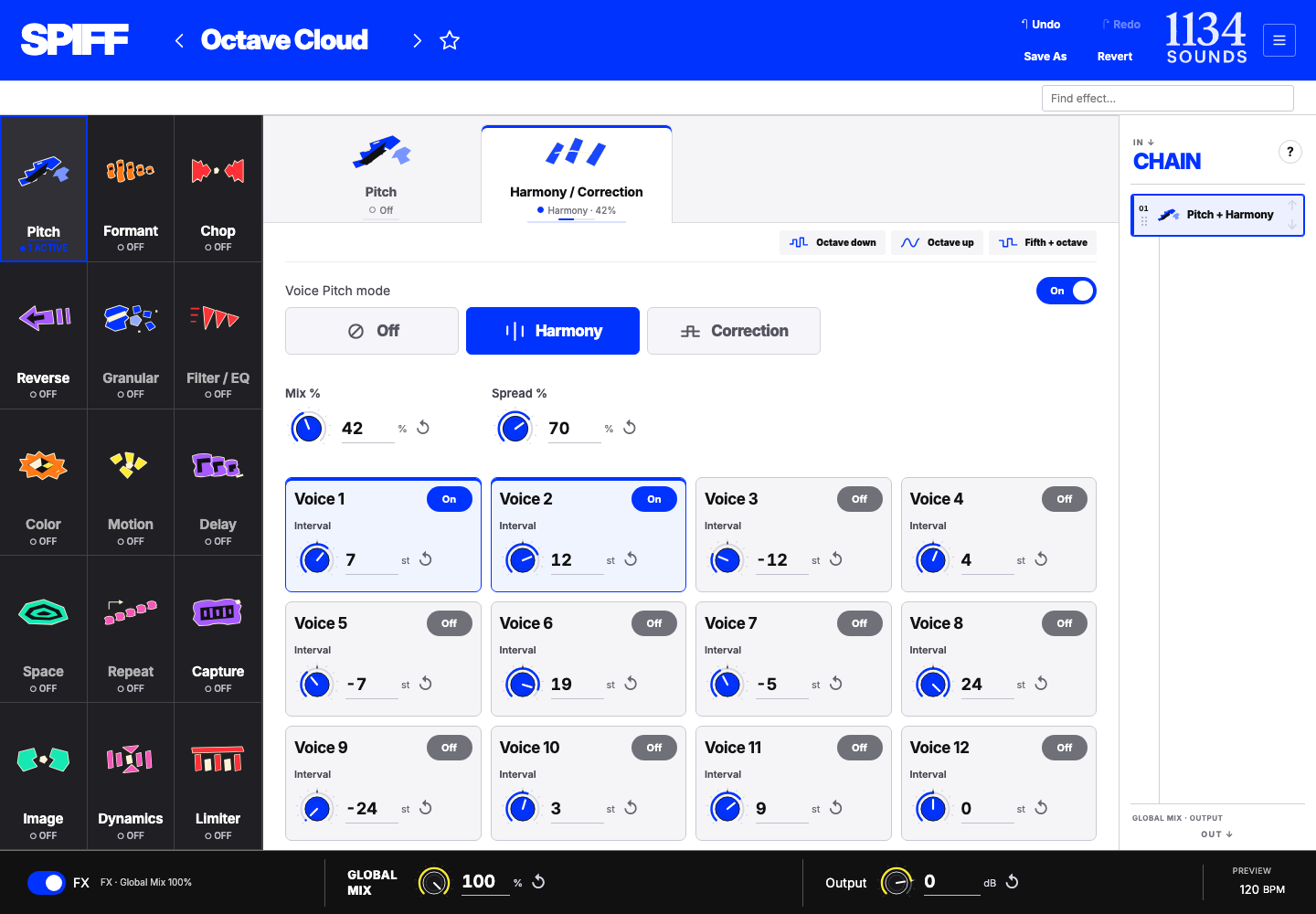
Build a harmony in Voice Pitch, shape a phrase with the vocoder in Vocal Synthesis, or freeze a syllable in Capture.
 02
Make a beautiful mess.
Add grain, crunch or a deliberately worn edge. Turn a small source into something with a character of its own.
Analog Color, Color + Digital & Rotary + FM
Drive a loop through tape or valve coloration in Analog Color. For a sharper edge, try Wavefold in Color + Digital, or introduce a moving tone with Rotary + FM.
 03
Send it somewhere.
Give it a pulse, a trail or a room to live in. Explore movement, echoes, space and the stereo image.
Spatial, Space Style, Delay Style, Modulation & Movement Route
Place the source with Spatial, add a ping-pong echo in Delay Style and give it a plate tail in Space Style. Try chorus in Modulation or send movement to a control with Movement Route.
 04
Keep the good part.
Shape the balance, blend your effects and bring the result back into the track. Go all in or leave just a trace.
EQ + Resonance, Filter shape, Dynamics, De-ess / Transient / Duck, Stereo balance / width & Output limiter
Tune a resonator in EQ + Resonance and shape the spectrum with Filter shape. Adjust transients, stereo width and dynamics, then set the ceiling in Output limiter.
Meet the whole family.
The AFTERFX rack brings all 15 effects into one chain. We’re also developing individual plugins, including EQ and pitch, so you can buy just the effect you want.
 Pitch
 Formant
 Chop
- Reverse
 Granular
 Filter
 Texture
 Motion
 Delay
- Space
 Repeat
 Capture
 Image
 Dynamics
 Limiter
Your ideas.
Connected by MCP.
AFTERFX’s MCP (Model Context Protocol) companion connects a compatible AI client to its controls. Explore parameters, build and save presets, rearrange the chain and restore an earlier state.
Use a client such as Codex with the local companion configured. Start with an idea in your own words, then listen in your DAW and refine the result. You stay in charge of the sound.


-
01
Describe it.
“A worn piano, a slow pitch wobble and a wide, hazy tail.”
-
02
Build a starting point.
Have your client build a starting point using AFTERFX’s supported controls. The connection works with parameters and presets; you judge the result by listening.
-
03
Listen. Refine. Keep it.
Try it on your sound in AFTERFX. Adjust the mix, ask for a different direction and save the version that feels right.
Make it your own.
Your order. Your sound.
Rearrange 22 processing stages to find a different interaction. Shape movement with custom curves, stack up to 12 Harmony voices, and choose a light or dark workspace.
Keep the good accidents.
Explore 47 factory presets. Adjust one to your material, then use Save As to keep your version. Or connect through MCP and develop an idea with your AI client.