Piano FX
Keep the performance. Explore the atmosphere.
A creative audio effect for piano recordings and instrument outputs. Painted surfaces open a set of tone, space, texture and movement controls, with a deeper chain underneath.
From a feeling to a starting point.
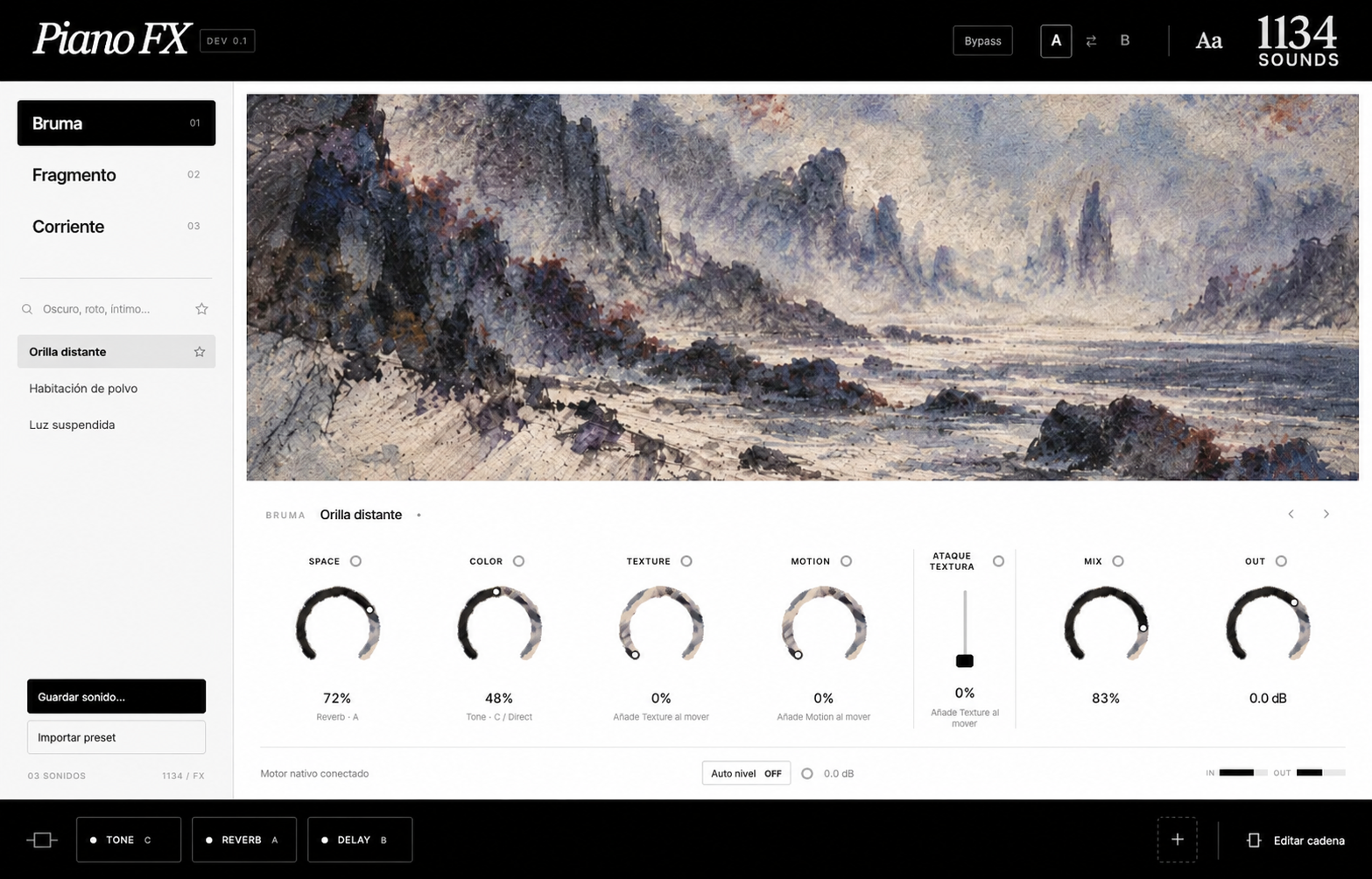
Bruma, Fragmento and Corriente organize the current painted interface. Browse the initial presets, search by feeling and mark favorites. The prototype includes nine individually written starting points, still awaiting musical curation.
The main controls, within reach.
Space adjusts the reverb amount, Color reaches into Tone, and Texture and Motion set their effect amounts. Mix blends the processed routes with the original, while Out sets the final output level. The Texture Attack control belongs to the synthesized texture; it is not a dedicated protector for the piano's attack.
Open the chain.
The current build offers Tone, Delay, Reverb, Texture, Drive, Motion and Reverse, with 17 initial variants. Up to twelve modules run in serial order inside three parallel routes, A, B and C. Each route contributes a fixed third of the combined processed signal.
Keep the part you like.
Route locks preserve a whole route's modules, settings and order while you explore another preset. Global values have separate locks. A/B comparison, named saves and JSON import and export help keep alternative sounds. Personal presets currently live inside each plugin instance's saved state.
Compare with a little help.
Switchable gain compensation follows smoothed signal energy to help manage level changes. It is enabled by default in the prototype, but it is not LUFS matching or a guarantee of identical perceived loudness. Use Mix, Out and bypass to judge the result in context.
Follow a performance into a new space.
- Place the effect after a piano instrument or on a recorded piano track.
- Choose a starting sound and adjust the main controls.
- Open the chain to change a module, variant or route.
- Lock a route you want to keep, compare A/B and save the new sound.
Where it stands.
This is an early native audio-effect prototype, not a piano instrument or a finished release. Delay and Motion currently run in free time; the reverb variants use an algorithmic engine. Listening approval and public distribution remain pending.